
LIVE1,676 readers shaping today’s news
how-toguide1 MIN READ · 145 WORDS

How to Check Malaysia Traffic Summons from Singapore?

Singapore drivers can now check for unpaid Malaysia traffic summons online before crossing the border, using a simple step-by-step process on MYEG Services.

D
Daily.SG Newsroom
Archive · 7 Jan 2010
How to Check Malaysia Traffic Summons from Singapore?
Image: Daily.SG Archive / Daily.SG
SHARE

KEY POINTS

  • ●Singapore drivers can check Malaysia traffic summons online via MYEG Services without travelling to Malaysia
  • ●The process requires creating an account as a non-Malaysian individual using a passport number
  • ●Checking summons before crossing the border helps avoid inconveniences at the border or during travel
  • ●If summons are found, they can be paid directly through the same online platform
  • ●The service is designed specifically for non-Malaysian residents driving Singapore-registered cars

IN SIMPLE TERMS

If you drive a Singapore car into Malaysia, you should check if you have any unpaid traffic fines there first. You can do this easily from Singapore by going to a website, creating an account, and looking up your summons using your passport number.

WHY IT MATTERS

Unpaid summons could lead to delays or complications when entering Malaysia
Checking online from home saves time compared to verifying at the border
Early detection allows drivers to settle outstanding fines proactively
This service makes cross-border travel smoother for Singapore residents

WHERE DO YOU STAND?

Should Singapore drivers be required to check their Malaysia traffic summons before crossing the border?

👍 👎 Vote ↓
The Full Story

Prior to driving a Singapore-registered car into Malaysia, it’s always advisable to check if you have any unpaid Malaysia traffic summons.

This is to prevent any unnecessary inconveniences.

How to Check Malaysia Traffic Summons?

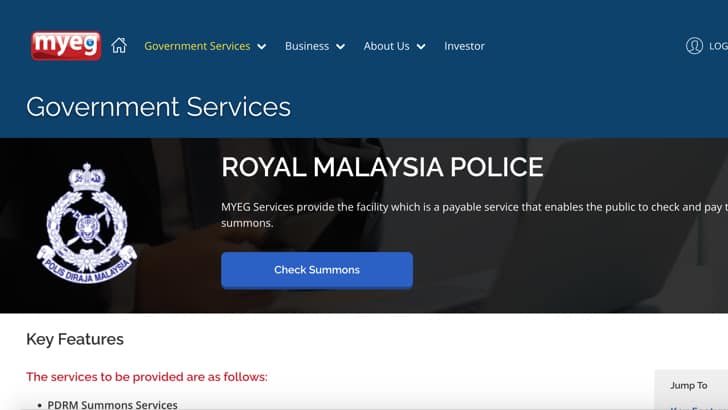
You can now check Malaysia traffic summons online from Singapore by visiting MYEG Services and complete the following steps:

  1. Click Check Summons.
  2. Click Create Account.
  3. Complete account details as an Individual, Non-Malaysian with Passport number.
  4. Insert 4-digit Verify Code from email.
  5. Login using Username and Password (from Step 3).
  6. Click Jabatan Pengangkutan Jalan.
  7. Click CHECK & PAY RTD SUMMONS.
  8. Insert Passport Number (under ID NO.).
  9. Select Non-Malaysian Resident (under CATEGORY).
  10. Click Submit.
  11. Pay Summon/s if any.

So that’s how you check outstanding Malaysia summon for Singapore car.

Let us know if there’s any way to check using your existing car plate number?

LIVE READER POLL● +0 votes / 5 min
just voted

Where do you stand?

Should Singapore drivers be required to check their Malaysia traffic summons before crossing the border?

Be the first to weigh in.

👍 AGREE0 VOTES · LIVEDISAGREE 👎
D
Daily.SG Newsroom
Archive

Part of the Daily.SG editorial team. Covering Singapore news and analysis.

Follow Daily.SG